← SELECTED WORK / 04ALCATEL / LAUNCHER · ICONS · UI GUIDELINES

Familiar Android.
A distinct
Alcatel character.

How much should a brand change the phone you already know how to use?

A selection from my Alcatel work: launcher experiences, icon redesign, and the visual rules connecting them.

A closer look
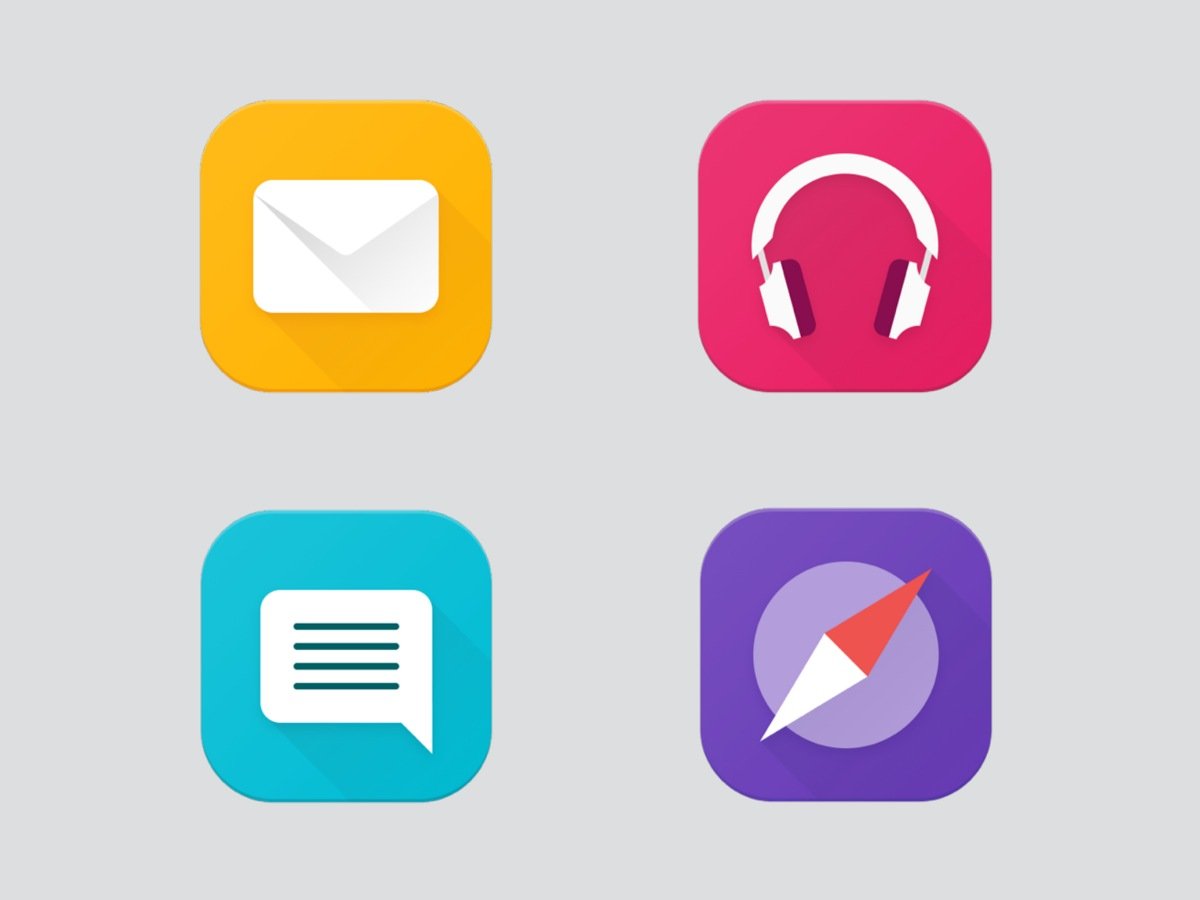
Four original icon examples from the Alcatel launcher guidelines: email, music, messaging, and compass
ICON STUDIES / ORIGINAL GUIDELINE ARTWORK
ANDROID EXPERIENCELAUNCHER & ICON DESIGNGUIDELINE ARCHIVE / 2015–2017
01 / THE DESIGN TENSION

Character, without
the learning curve.

The direction balanced Alcatel’s identity with a familiar Android foundation. Before defining the details, the guidelines brought together competitor observations, Material Design principles, and the brand’s visual language.

01 / OBSERVE

Look across the category.

Compare lock screens, home screens, settings, and controls to understand the patterns people already recognise.

02 / FIND THE BALANCE

Decide where to be distinct.

Bring Alcatel’s character into Android without making familiar interactions feel unfamiliar.

03 / MAKE IT REPEATABLE

Turn direction into rules.

Connect icon construction, colour, typography, wallpaper, and motion in a shared reference.
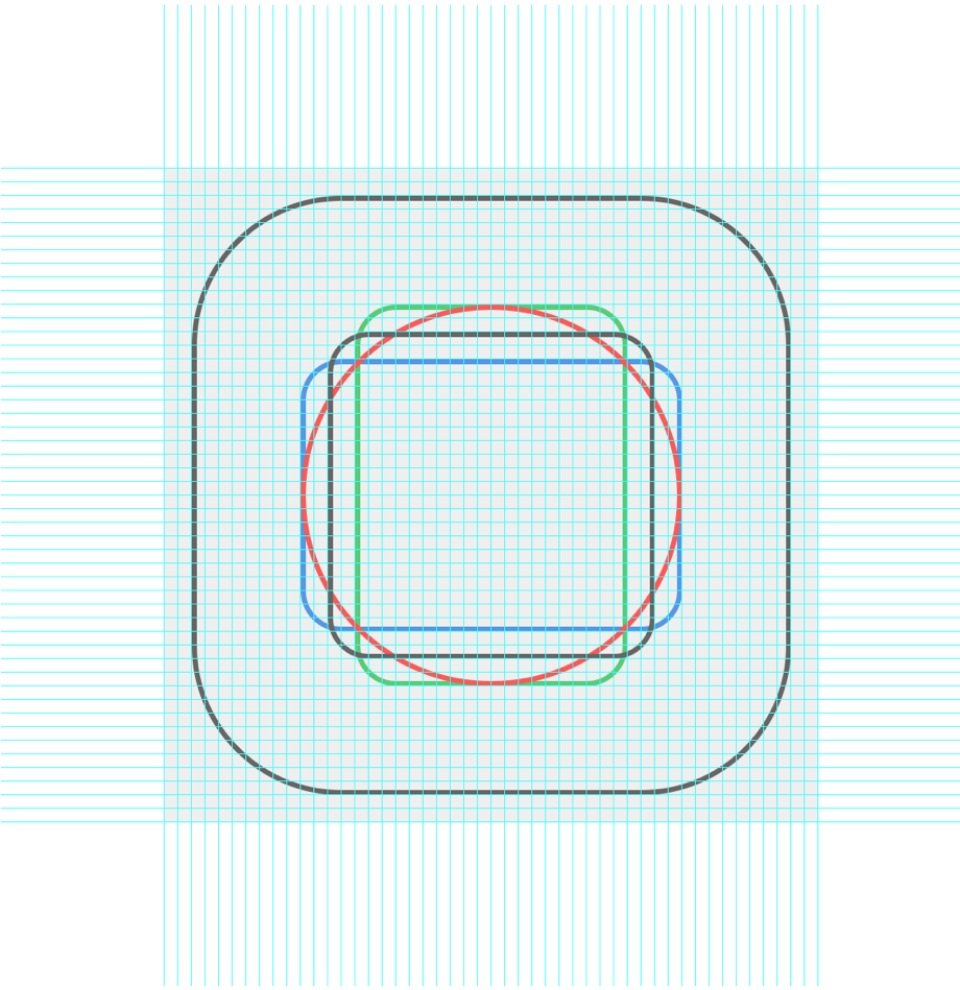
Original icon construction grid showing different inner shapes balanced within a common rounded-square container
CONSTRUCTION / OPTICAL BALANCE
THE CRAFT BEHIND THE FAMILY

Equal size.
Different shapes.
Same visual weight.

The icon guidelines go beyond a common container: proportions, colour, lighting, and shadow help different symbols feel related.

One small example: inner shapes use different dimensions to appear balanced—not simply identical measurements.

ALCATEL ANDROID N / ORIGINAL TEAM GUIDELINE ARTWORK
A FEW PRINCIPLES BEHIND THE DETAIL
  • Recognition first.Simple symbols with a clear purpose.
  • Balance by eye.Consistent visual weight across different shapes.
  • Colour with a role.Help apps remain distinct and recognisable.
  • Readability in context.Consider icons and labels against varied wallpapers.
  • Coherent surfaces.Use lighting and shadow as part of one visual language.
  • Motion with meaning.Connect states and guide attention through transitions.
02 / THE EVERYDAY EXPERIENCE

A home screen is
more than a layout.

Widgets, the app drawer, and icon placement belong to the same experience. The UX guidelines describe how those pieces behave together.
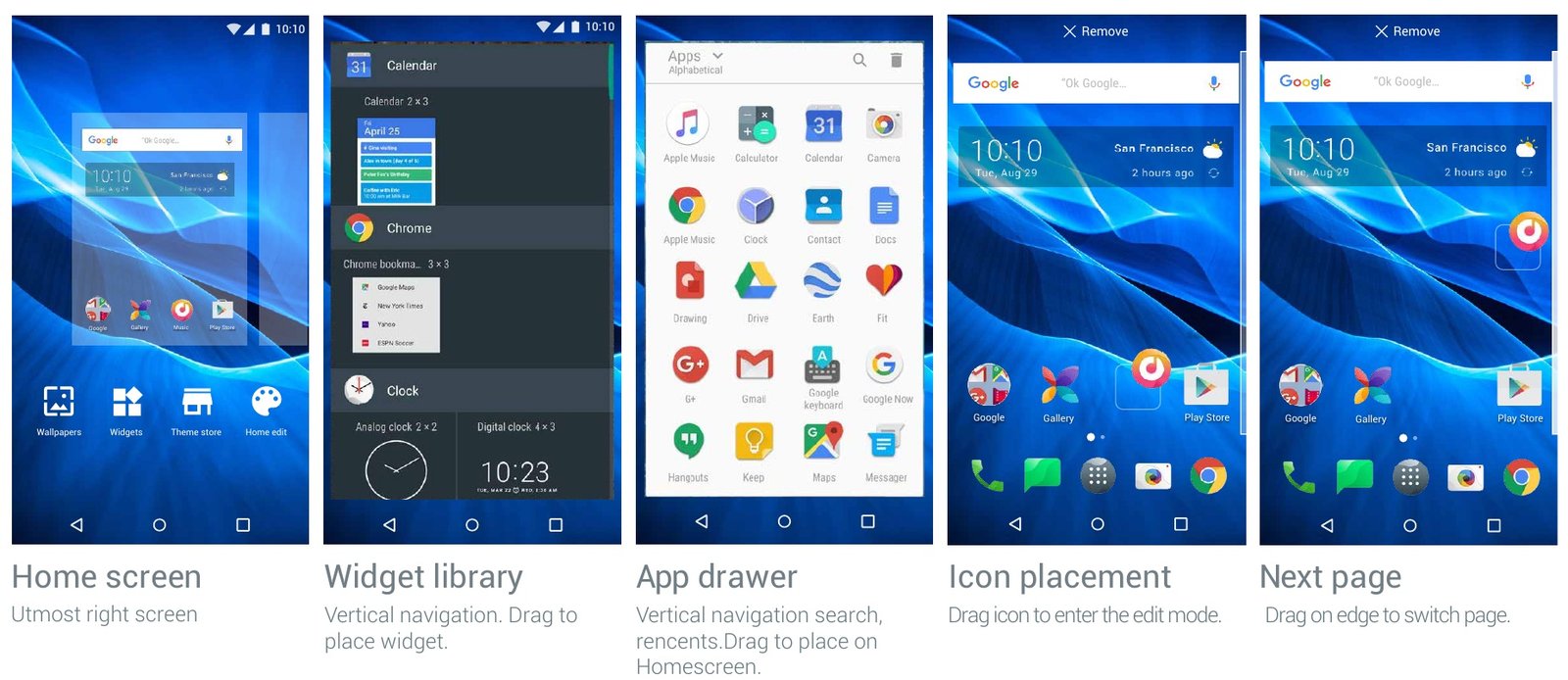
Alcatel launcher guideline screens showing home editing, the widget library, app drawer, and dragging an icon between pages
LAUNCHER MANAGEMENT / TEAM UX GUIDELINE EXCERPT
SELECTED WORK, NOT THE WHOLE MANUAL.

These excerpts offer a glimpse of the visual system. The deeper conversation is about the decisions, collaboration, and my contribution behind it.

Personalisation
Home-screen grids, icon sizing, themes, and wallpaper families.
Colour Catcher
Explore a personal theme inspired by colours in a photograph.
Launcher behaviour
Connect widgets, app discovery, folders, search, and icon placement.
Lock-screen experiences
Consider wallpaper changes, notifications, and quick access together.
System controls
Explore quick settings, volume, and feedback within familiar Android patterns.
Useful extensions
Guideline concepts for fingerprint gestures, private mode, and screenshot tools.

Colour Catcher

Colour Catcher artwork from the original Alcatel UI guidelines

1 / 6
THERE’S MORE BEHIND THESE PIXELS.

The interesting
part is why.

These visuals sit on top of competitor comparisons, platform principles, and decisions about recognition, consistency, and personalisation. I’d be happy to walk you through my contribution, the alternatives, and the trade-offs behind the guidelines.

Explore the research with me ← BACK TO SELECTED WORK